Quick answer
Compliance integrations connect a compliance platform to the tools you already run, such as cloud, identity, HR, and code systems, so it can pull audit evidence automatically through APIs. Instead of taking screenshots by hand, you connect a system once and the proof that your controls operate is collected and kept current for you. They are what make evidence automation possible.
What are compliance integrations?
An integration is a secure connection between your compliance platform and another tool. Once connected, the platform reads the settings and records that prove a control works, for example that multi-factor authentication is enforced or that code changes are peer reviewed. This is the mechanism behind staying continuously audit-ready rather than preparing evidence from scratch each cycle.
How do compliance integrations work?
- 1Authorize the connection, usually through OAuth or a scoped, read-only API token.
- 2The platform calls the tool's API on a schedule to read relevant settings and records.
- 3Each data point is mapped to the control and framework it supports.
- 4Evidence is timestamped and stored, so it proves the control held over time.
- 5If a setting drifts out of compliance, the platform flags it for you to fix.
Because access is typically OAuth-based and read-only, the platform can read the metadata it needs for evidence without the ability to change your systems.
Agentless vs agent-based integrations
| Agentless (API) | Agent-based | |
|---|---|---|
| How it connects | Over the tool's API | A small app installed on devices |
| Best for | Cloud, identity, HR, code systems | Laptop and endpoint evidence |
| Setup | Authorize once, no install | Deploy the agent to each device |
| Typical evidence | Configuration, access, change records | Disk encryption, screen lock, patching |
Which tools should you connect for SOC 2?
Connect the systems that already hold your control evidence. These categories cover most of what a SOC 2 audit needs:
| Category | Example tools | Evidence automated |
|---|---|---|
| Cloud infrastructure | AWS, GCP, Azure | Encryption, backups, logging, network rules |
| Identity and access | Okta, Google Workspace | MFA, access reviews, provisioning |
| HR and people | Rippling, BambooHR | Onboarding, offboarding, background checks |
| Code and change | GitHub, GitLab | Peer review, branch protection, change records |
| Ticketing and projects | Jira, Linear | Change approvals and incident tracking |
| Endpoint / MDM | Kandji, Jamf, Intune | Device encryption, screen lock, compliance |
| Security and scanning | Vulnerability scanners | Scan results and remediation records |
How many integrations do you need?
There is no magic number. What matters is coverage: you need enough integrations to automatically evidence the controls in your scope. For most SaaS teams that is a handful of core systems, and each additional connection simply automates more evidence and cuts down on manual uploads.
Which integrations should you set up first?
- Start with cloud, identity, HR, and code to cover the majority of controls
- Add endpoint or MDM to automate device and laptop evidence
- Add ticketing and security scanners to cover change management and vulnerabilities
- Upload anything unsupported by hand, so a missing integration never blocks an audit
Do integrations work across multiple frameworks?
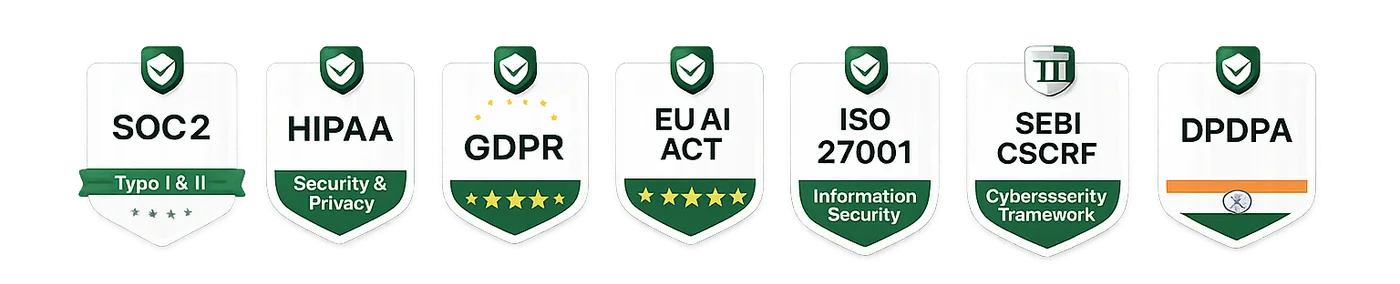
Yes. The same integration can evidence controls for SOC 2, ISO 27001, HIPAA, and GDPR at the same time, because those frameworks share so many underlying controls. Connecting your stack once means you collect each piece of evidence once and apply it to every framework you pursue, which is the core efficiency behind a multi-framework program.
Connect once, use across frameworks
One connected identity provider can prove access-control and MFA requirements for several standards simultaneously. That reuse is why connecting the right systems early pays off across your entire compliance roadmap.
Are integrations safe to connect?
Well-built integrations use scoped, read-only access wherever possible and collect only the metadata needed for evidence, not your customers' data. Before connecting any tool, review the permissions it requests and prefer least-privilege scopes. Managing third-party access is itself part of good risk management.
- Prefer read-only, scoped permissions over broad admin access
- Review exactly what each integration can see before authorizing it
- Track your connected tools as part of your vendor and risk inventory
- Revoke integrations you no longer use
How Auditious integrations work
Auditious connects to 100+ tools across cloud, identity, HR, and developer stacks to pull evidence automatically and keep you audit-ready 24/7. Each integration maps evidence to the right controls, so connecting a system immediately strengthens every framework it applies to, and your auditor sees current proof without any manual chasing.